Translation in both directions
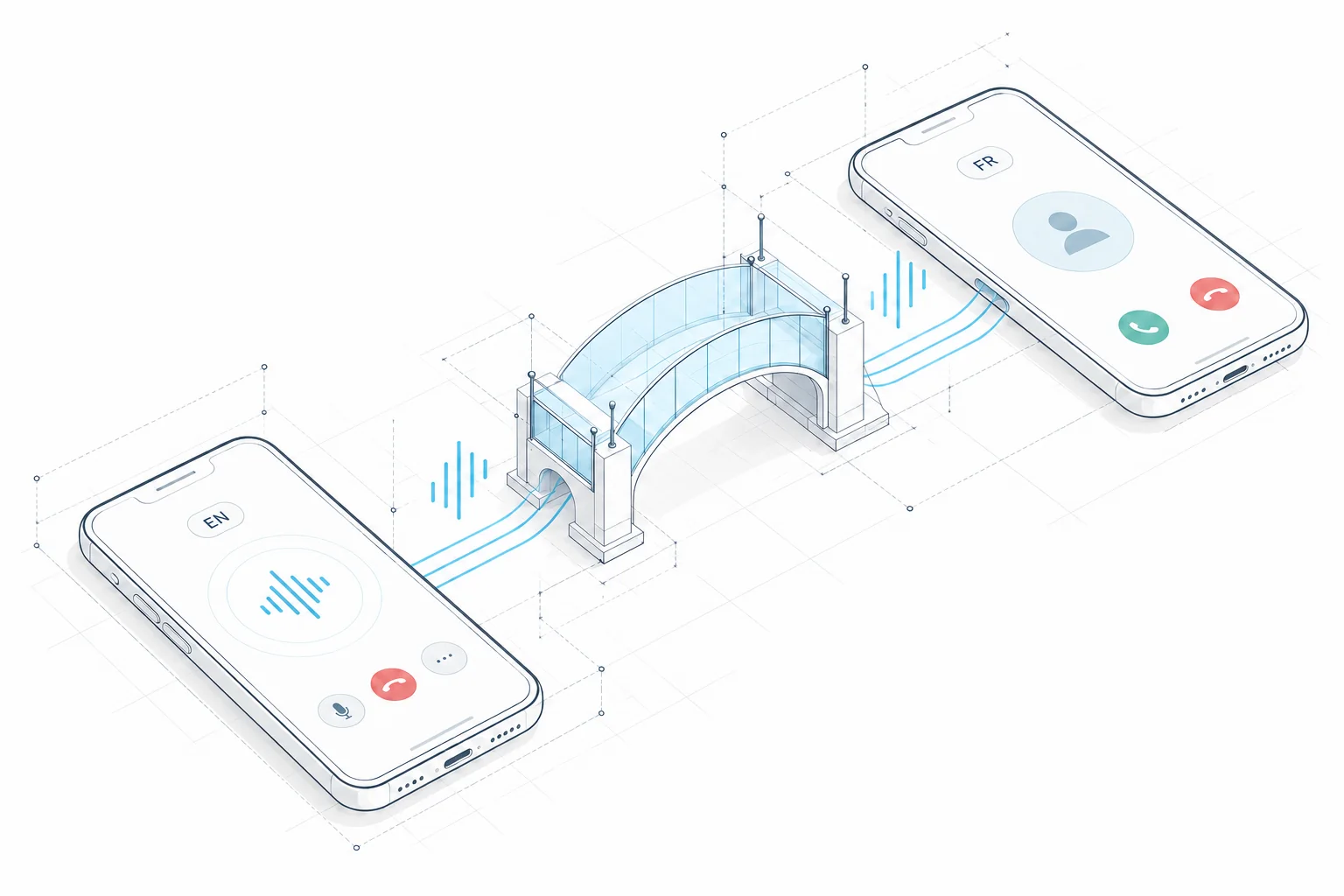
Speak in your language. The person you call hears a translation, and their answer is translated back to you. Give each other a moment to finish before replying.
How two-way translation worksChoose a contact or enter a number in the CallBridge app, then select your language and theirs. Start the call in the app and speak your own language. They answer a regular phone call, with translation in both directions.
BUILT FOR THE CONVERSATION
Reach a person, understand the reply and work out what comes next. CallBridge brings spoken translation and captions into the same phone call.
Speak in your language. The person you call hears a translation, and their answer is translated back to you. Give each other a moment to finish before replying.
How two-way translation worksRead original speech and translated captions during the call. When a name, date or reference matters, use the text as a prompt to ask for confirmation.
Explore live call captionsYour contact answers their regular phone. You handle the app and the language setup, so a first conversation can start with the number you already have.
See the recipient experienceFROM A NUMBER TO A CONVERSATION
No meeting link. No software to explain. Start with the number you already have.
Set the language you speak and the language of the person you are calling.
Enter their number with the country code, or choose a contact in CallBridge. Start the call in the app; they answer on their regular phone, regardless of its brand or model.
CallBridge translates speech in both directions. Read the original words and translations in live captions.
A CONVERSATION, MADE VISIBLE
A written example of two-way translation. Choose a moment and follow both sides.
“Hello, could you confirm the delivery date?”
“Bonjour, pourriez-vous confirmer la date de livraison ?”
“Of course. Delivery is scheduled for Tuesday.”
“Bien sûr. La livraison est prévue mardi.”
Illustrative text only. This preview does not place a call, access your microphone or play audio.
MEET THEM WHERE THEY ALREADY ARE
The person you want to reach may be a supplier, a property owner or a hotel receptionist. You have their number. That is where the conversation starts.
You call through CallBridge with an internet connection. They receive a regular phone call, with no account or download on their side.
Explore calling without a second appYou make the call with CallBridge.
They answer on their regular phone.
BEYOND THE WORKING DAY
Some questions are easier to settle in a conversation. These are the everyday moments CallBridge is being built for.
Ask a hotel about arrival times, check where to collect a rental or clarify a booking before you travel.
“Could we check in after nine?”Prepare a call in another language
Call a property contact, arrange a viewing and confirm the address before making the journey.
“Is the apartment still available?”Explore property conversations
Explain an entrance, agree on a collection time or ask a service provider what to prepare for a visit.
“Which entrance should I use?”See how number calling works
Illustrative situations. Check the available language pair and calling destination before relying on the app for a particular call.
FOR THE CALLS THAT MOVE THINGS FORWARD
From a first introduction to the next practical step, bring a shared language to your phone conversations.
Reach international prospects and customers by phone with two-way live translation. They answer their regular number, without installing CallBridge.
See the calling workflowSpeak with international candidates by phone. CallBridge translates both sides while candidates answer without downloading another app.
See the calling workflowFollow up with customers in another language by phone. Live translation connects your CallBridge app to their regular phone.
See the calling workflowCall international clients and project partners with live phone translation. Only the caller needs the CallBridge app.
See the calling workflowDiscuss viewings and property questions across languages by phone. Owners, agents and prospective tenants answer on their existing phones.
See the calling workflowCoordinate appointments and travel with international clinics by phone. CallBridge supports translated conversations without a second app for the recipient.
See the calling workflowCall international suppliers and logistics contacts with live translation. The person you call receives an ordinary phone call.
See the calling workflowCHOOSE THE RIGHT KIND OF CONVERSATION
Different translation tools start in different places. Choose the setup that fits the person you need to reach and the conversation you need to have.
| Your situation | A useful starting point | What to establish |
|---|---|---|
| You have a phone number | A translated call placed through CallBridge | Language pair, destination and current availability. The recipient answers their regular phone. |
| You are arranging an online meeting | A multilingual meeting platform, such as MeetBridge | How participants will join, which languages they need and whether they can use the platform. |
| You need professional interpretation | A qualified human interpreter | Subject expertise, confidentiality and any formal requirements for the conversation. |
START WITH THE CALL YOU NEED TO MAKE
Language support and telephone coverage are separate questions. Check both before planning a conversation around live translation.
Confirm both spoken languages for the calling feature itself. A website language or a text-translation language is not a promise of call support.
Use the full number, including its country code, and check the destination in the app. Speaking a supported language does not make every number reachable.
You need internet access to call through CallBridge. Prepare the names, times and numbers you want to confirm, and introduce the use of translation.
THE CALLBRIDGE BLOG
Compare the conversation you need to have, not just the technology. A practical guide to routine calls, specialist interpreting, preparation and accountability.
Read the article
Compare subscriptions, included minutes, usage charges and interpreter bookings using the same calling scenario. Includes a worked budget and questions to ask before paying.
Read the article
Confirm a booking, explain a late arrival and get clear entry instructions. Use a short call script, an arrival checklist and a written follow-up.
Read the articleBEFORE YOU SAY HELLO
What changes when translation becomes part of a phone call?
A phone call translator translates spoken conversation between people using different languages. CallBridge is being built for calls from its app to a telephone number, with spoken translation in both directions and captions for the caller.
Public pricing has not been announced while CallBridge is in testing. Plans, usage and calling availability will be published on our pricing and availability page when confirmed.
No. You call from the CallBridge app, and they answer a regular phone call. They do not need an app, an account or a meeting link.
Choose the two languages and dial a phone number with its country code. CallBridge translates what you say into their language, and their replies into yours. Availability depends on the supported language and calling destination.
Yes. The app includes live captions with original speech and translations so you can follow the conversation on your screen.
You need an internet connection to call through CallBridge. The person you call needs to be able to receive a regular phone call; they do not need the CallBridge app or its internet connection.
The products are made by the same team. MeetBridge is for multilingual meetings. CallBridge is for calling a phone number with live translation, including people who do not have the app.
Language and destination availability varies. Check the options shown in the app before calling. Translation can make mistakes; confirm names, numbers and important details together.
CallBridge is currently in testing. Public App Store and Google Play links, pricing and launch details will be shared when they are ready.
A NEW CONNECTION IS ON THE WAY
CallBridge is in testing. Join the early access list to hear when public access opens and learn which languages and destinations are available.
Join the early access list IN TESTING
Not on the app stores just yet. Launch details will be shared here.
Already a tester? Open the app